Real-time KPIs
Show output, OEE, downtime and quality numbers from your dashboards so every team sees where the shift stands.
Keep every shift aligned with live production KPIs, safety reminders and instant alerts on screens across your plants — managed from one dashboard.
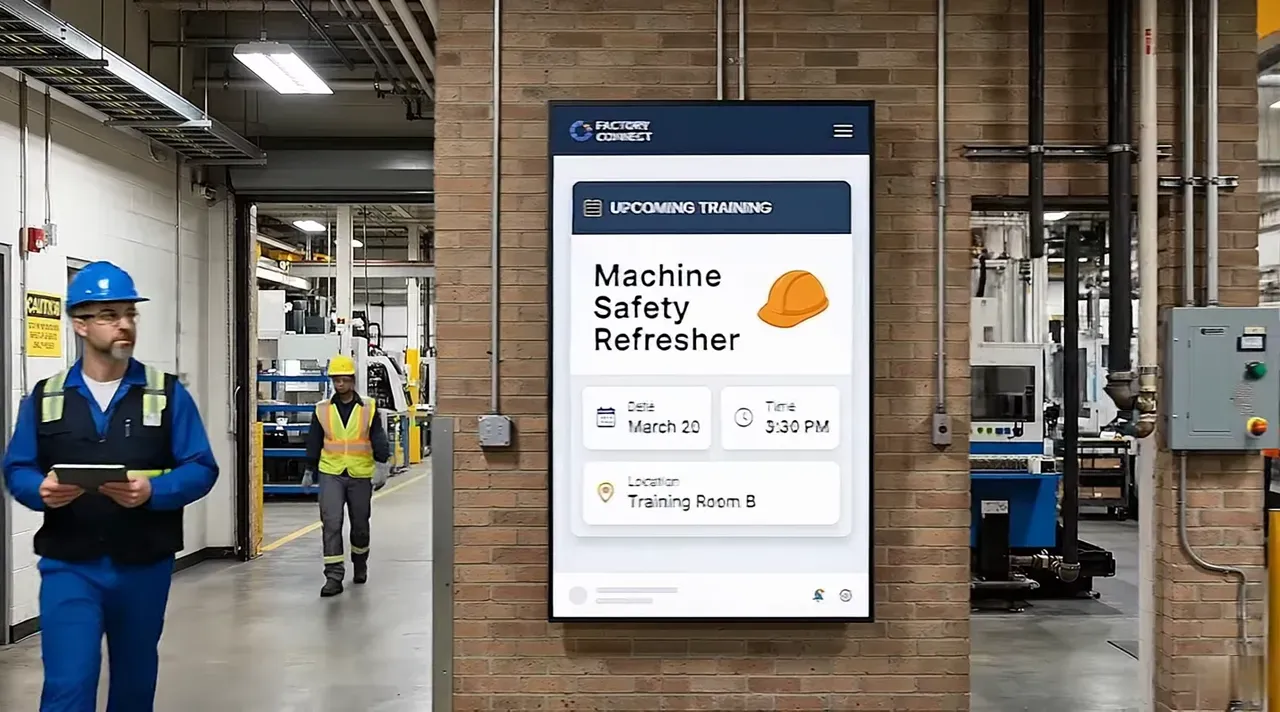
Manufacturing digital signage uses screens on the factory floor, in break rooms and at entrances to share information that people need while they work: production targets, quality metrics, safety messages and company news.
With Pilosign, operations and HR teams update every screen remotely, connect live data sources, and schedule messages by shift — without walking the floor with printouts.
Show output, OEE, downtime and quality numbers from your dashboards so every team sees where the shift stands.
Keep safety reminders, PPE rules and incident-free day counters visible in every area.
Push urgent messages to one zone or every plant in seconds when something changes.
Share news, recognition and training with people who rarely sit at a computer.
A few ideas teams start with — mix them into playlists and schedule them by time or location.
Targets vs. actuals, line status and quality metrics, updated automatically.
Days without incident, PPE reminders and emergency procedures.
Rosters, handover notes, breaks and overtime announcements.
Celebrate milestones, welcome new starters and share company updates.
Plug in a player or open the Pilosign app on your TV, enter the registration code and the screen appears in your dashboard.
Start from a template or upload your own images and video, then add live apps like weather, news or dashboards.
Choose which screens show what and when, then publish — updates go live remotely across every location.
Quick answers to the questions teams ask before they bring screens into the room.
Screens placed around production areas and break rooms that show live KPIs, safety messages, shift information and company news, managed remotely from one dashboard.
Yes. Pilosign connects with dashboards and data apps so screens show up-to-date numbers without manual updates.
Pilosign is free to use. Sign up, connect your screens and start publishing content today.
A screen, a media player and an internet connection. Pilosign runs on dedicated players, Android TV, Amazon Fire TV and many devices you may already own.
Yes. Every screen appears in one dashboard, so you can group screens by location and update one screen, a group or the whole network at once.
Pilosign is free to use. Connect your first screen and publish in minutes.
Bring your first screen to life in a few focused minutes.